
Free quizWhat's your Social Proof Score?
Senja

Copy, paste, publish

8 free customer case study templates

Eight fill-in-the-blank structures for case studies your customers star in. Copy one into Google Docs, Word or Notion, and publish. Or skip the writing and generate a case study from testimonials you've already collected.

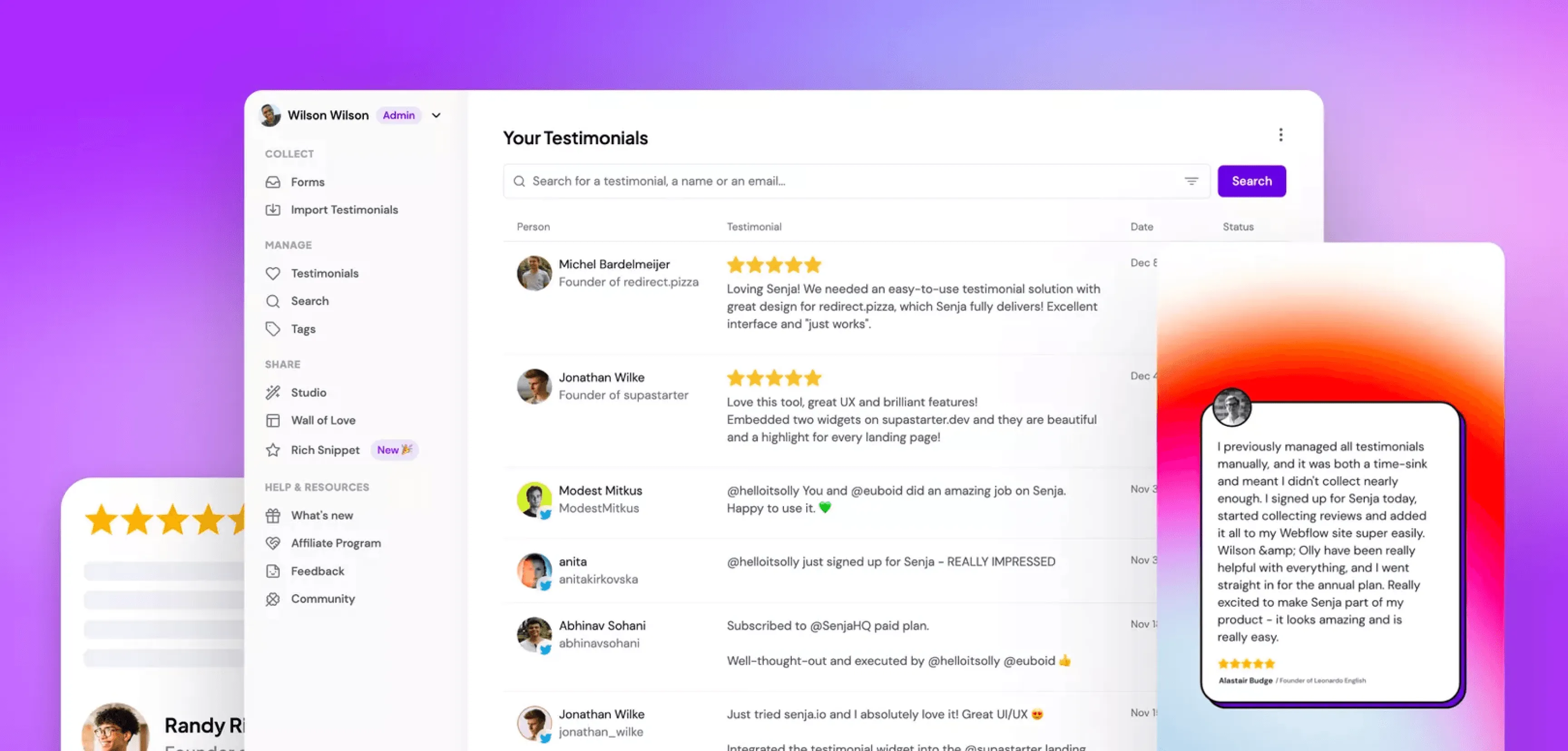
The Senja dashboard listing collected testimonials, with a generated case study card alongside

The templates

Pick a structure and fill in the blanks

Every template follows the same rule: result first, story second, proof throughout. Copy the one that fits and swap in your customer.

1. The classic problem-solution-results template

Best for: Your first case study. Works in any industry.

[Customer name] + [headline result]

Write the result first: “How Marigold Studio cut editing time by 70%”

Snapshot

Three lines your reader can scan: who the customer is, what they do, and the one number that matters.

  • Company: [name, industry, size]
  • Challenge: [the problem in one sentence]
  • Result: [the headline number]

The problem

What was broken, and what was it costing them? Use their words. Two or three paragraphs, no more.

The solution

How they found you, what they tried first, and what your product changed day-to-day. Specific beats impressive: “she sends the form after every project” is better than “streamlined workflows”.

The results

Two or three numbers with context. Before and after. If you don’t have numbers, use time: “what took a week now takes an afternoon.”

Pull quote

The single best sentence your customer said. Put it in big type.

CTA

One line, one link: what should the reader do next?

2. The one-page case study

Best for: Sales teams who need a leave-behind, and buyers who won’t read 1,000 words.

[Headline: customer + result]

Who — one sentence on the customer.

Problem — two sentences, max.

Fix — two sentences on what your product did.

Numbers — three stats in big type. This is the section people actually read.

Quote — one strong customer quote with name, title and photo.

CTA — one link.

The rule: if it doesn’t fit on one page, cut the problem section before you cut the numbers.

3. The testimonial-based case study

Best for: Turning one glowing testimonial into a full story.

Start with the testimonial you already have. Your customer has done the hard part: they’ve told you the result in their own words. Your job is to fill in the story around it.

Headline

Pull the strongest claim from the testimonial and make it specific: “Senja doubled my conversion rate” becomes “How Marie doubled her course sales page conversion rate”.

The quote, up top

Open with the full testimonial. It’s your hook and your proof in one.

The backstory

Ask the customer three follow-up questions: What was going on before? What almost stopped you buying? What surprised you after?

The detail

Expand each answer into a short section. Keep their phrasing; polish, don’t rewrite.

The numbers

Pin down any claim in the testimonial. “Way more sales” becomes “38% more sales in the first month”.

CTA

One line, one link.

4. The metrics-driven case study

Best for: When you have hard numbers and a data-minded buyer.

Headline

The biggest number, plainly stated.

The scoreboard

Open with a before/after list:

  • [Metric 1]: before → after
  • [Metric 2]: before → after
  • [Metric 3]: before → after

How we measured

One short paragraph on where the numbers come from. This is what makes a skeptical reader trust the rest.

What drove each number

One section per metric: what changed in their workflow to move it.

The customer’s read

A quote where the customer interprets the numbers, not just praises you.

CTA

One line, one link.

5. The agency client case study

Best for: Agencies and freelancers pitching the next client.

[Client] + [outcome you were hired for]

The brief

What the client hired you to do, in their words.

The constraint

Budget, timeline, a stubborn stakeholder. Every project has one, and naming it is what makes the win believable.

The work

Your process in three to five steps. Show one artefact per step if you can: a wireframe, a draft, a before screenshot.

The outcome

Results tied back to the brief. Did you do the thing they hired you for? Prove it.

What the client said

Quote, name, company. Video if you have it.

Work with us

Your CTA, plus one line on what kind of projects you take.

6. The B2B SaaS case study

Best for: Software with a real sales cycle, where the reader is building a business case.

Headline: [customer] + [business outcome]

Company profile

Industry, team size, tools they already use. Your buyer is checking “are they like us?”

The trigger

What event made them go looking for a tool? A hire, a failed launch, a spreadsheet that finally broke?

The evaluation

What else they considered and why they picked you. Don’t skip this; it’s the part prospects screenshot.

Rollout

How long it took to get value. Be honest; a real timeline is more convincing than “instant”.

The outcome

Numbers a CFO would accept, plus the day-to-day wins the team actually feels.

Quote from the decision-maker

And one from a daily user if you can get it.

CTA

One line, one link.

7. The interview case study

Best for: Publishing fast, straight from one customer call.

Record a 20-minute call, transcribe it, and edit down. The format is the transcript, lightly cleaned up.

Intro

Two lines on who you talked to and the result they got.

The questions (pick six to eight)

  • What was going on when you started looking for [product category]?
  • What almost stopped you from buying?
  • What did the first week look like?
  • What’s different now, day-to-day?
  • What number would you point to?
  • Who would you recommend this to — and who is it not for?
  • What would you tell someone on the fence?

Edit rule

Cut your questions down to one line each, keep their answers nearly verbatim, and bold the sentences you’d want quoted.

CTA

One line, one link.

8. The video case study script

Best for: Turning one Zoom call into a video your sales team will actually use.

Total: 90 seconds to 3 minutes. Structure the call so editing is easy.

Cold open (5–10s)

The customer says the result. No intro, no logo. “We cut onboarding from two weeks to two days.”

Who they are (15s)

Name, role, company, what the company does.

The before (30s)

The problem and what it was costing them. Prompt: “Take me back to before you found us.”

The after (30–45s)

What changed. Prompt: “Walk me through how you use it now.”

The number (10s)

One stat, said to camera.

The recommendation (10s)

“If you’re [audience], do [action].”

Shoot list

The interview, plus 30 seconds of screen recording of them actually using your product. That’s all the b-roll you need.

The anatomy

What every good case study includes

Whichever template you pick, the bones are the same.

  1. A result in the headline — “How X achieved Y” beats “X case study” every time
  2. A customer snapshot — who they are, so readers can see themselves
  3. The problem, in their words — pain they’d recognise, not marketing copy
  4. The turning point — why they chose you over doing nothing
  5. Specific results — numbers, timeframes, before-and-after
  6. A pull quote — the best sentence, in big type
  7. A face and a name — photo, name, title. Anonymous case studies convince nobody
  8. One CTA — a single next step, not five

Decisions, decisions

Which template should you use?

  • First case study ever → the classic problem-solution-results
  • Buyer with no time → the one-pager
  • You already have great testimonials → testimonial-based (or let Senja generate it)
  • You have strong data → metrics-driven
  • You’re an agency or freelancer → the client template
  • Long sales cycle → B2B SaaS
  • You need it published this week → the interview
  • A willing customer and a camera → the video script

The shortcut

Or skip the template entirely

Senja turns testimonials you've already collected into finished case studies — summary, metrics, pull quote and all. Pick a testimonial, click generate, edit, share. The template's built in.

  • Free to use
  • Built from your real testimonials
  • Edit everything before you share
A case study generated by Senja from a testimonial, with summary, metrics and pull quote

Questions

Case study template FAQs

What should a case study template include?

Eight things: a results-focused headline, a customer snapshot, the problem, the turning point, specific results, a pull quote, the customer's name and photo, and one CTA. If your template is missing the numbers or the name, fix that first.

How long should a case study be?

500–1,000 words for a written case study, one page for a sales leave-behind, 90 seconds to 3 minutes for video. Shorter than you think: the reader wants the result and the proof, not the epic.

What format should a case study be in?

Wherever your buyer already reads: a page on your website for SEO, a PDF one-pager for sales calls, video for social. Start with the web page. It keeps working while you sleep.

What's the difference between a case study and a testimonial?

A testimonial is the customer's claim ("Senja doubled my sales"). A case study is the story that proves it: the before, the after and the numbers in between. The best case studies are built from testimonials — that's exactly what Senja's case study generator does.

How do I get customers to agree to a case study?

Ask right after a win, keep the ask small (one 20-minute call), and show them a draft before you publish. Customers who've already left you a glowing testimonial are your warmest list. Start there.

Interviewing a customer first? Steal these 45 case study questions.

Testimonials Made Easy

Your next case study is already written

It’s sitting in a testimonial you collected last month. Give Senja a minute to turn it into a story you can share.